Creating the First Web Site from Scratch on .NET Core C#
1. Install .NET Core.
2. Create a new .NET Core project
mkdir Sample01
cd Sample01
dotnet new
After executing these commands in the Sample01 folder, 2 files will appear: "Program.cs", "project.json".
This is the simplest template for a .NET Core application.
3. Modify the project.json file by adding Kestrel HTTP server
{
  "version": "1.0.0-*",
  "buildOptions": {
    "debugType": "portable",
    "emitEntryPoint": true
  },
  "dependencies": {},
  "frameworks": {
    "netcoreapp1.0": {
      "dependencies": {
        "Microsoft.NETCore.App": {
          "type": "platform",
          "version": "1.0.0"
        },
        "Microsoft.AspNetCore.Server.Kestrel": "1.0.0"
      },
      "imports": "dnxcore50"
    }
  }
}
4. Restore packages
dotnet restore
5. Add the "Startup.cs" file to your project, which defines the request processing logic:
using System;
using Microsoft.AspNetCore.Builder;
using Microsoft.AspNetCore.Hosting;
using Microsoft.AspNetCore.Http;

namespace MyFirstCore
{
    public class Startup
    {
        public void Configure(IApplicationBuilder app)
        {
            app.Run(
                context => {return context.Response.WriteAsync("This Is My First Core App!!!");}
            );
        }
    }
}
6. Modify the "Program.cs" file to implement the Web node setup and start.
using System;
using Microsoft.AspNetCore.Hosting;

namespace MyFirstCore
{
    public class Program
    {
        public static void Main(string[] args)
        {
            var host = new WebHostBuilder()
            .UseKestrel()
            .UseStartup<Startup>()
            .Build();

            host.Run();
        }
    }
}
7. Run the application.
dotnet run
8. Check the result in the browser at localhost:5000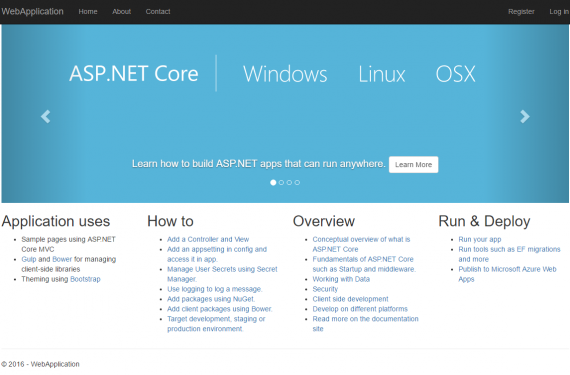
That's it. Enjoy…
Comments (0)
No comments yet.