JavaScript - Basics, How it Works, and How to Test.
This JavaScript is a wonderful thing!
Before, I didn't have to deal with it, but it happened. A good person explained the basics: how to write something like this, test it, and see how it works, right on your lap.
Here I will provide an example, so that I don't forget, for memory (as it were). And for the public, in case someone needs it.
This is incredibly simple! The JavaScript syntax is similar to C. There are no complexities in understanding and reading the code. Therefore, I will immediately proceed to the matter, write a small function to calculate the roots of a quadratic equation.
Example (Create a file index.html with the contents below):
<!DOCTYPE html>
<html lang="en">
  <head>
    <meta charset="utf-8">
    <meta http-equiv="X-UA-Compatible" content="IE=edge">
    <meta name="viewport" content="width=device-width, initial-scale=1">
    <title>Тест Java Script Console</title>

  </head>
  <body>
    Тестируем jаvascript!

    <script>
	    function solve(a,b,c)
	    {

	        var D = b*b-4*a*c;

	        if (D<0)
	        {
        	    console.log(":(");
	        }
	        else
	        {
	            console.log("x1 = " + (-b-Math.sqrt(D))/(2*a));
	            console.log("x2 = " + (b-Math.sqrt(D))/(2*a));
	        }
	    }
    </script>

  </body>
</html>
Inside the tags «script» is the code for the solve() function, which finds the roots of a quadratic equation.
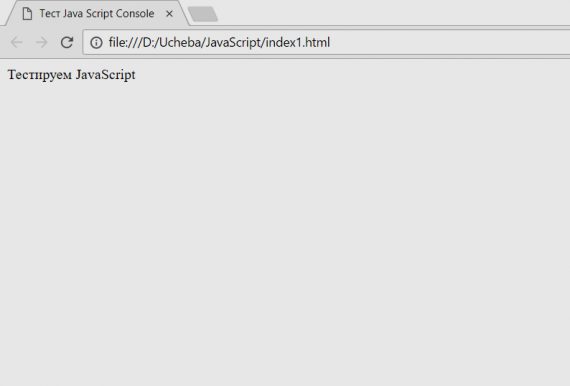
Save and open the file in the browser (I use Google Chrome, it will also work with FireFox).
See this:
Next, the most interesting thing, open the browser console with the combination of keys Ctrl+Shift+I, in Google Chrome we will see this: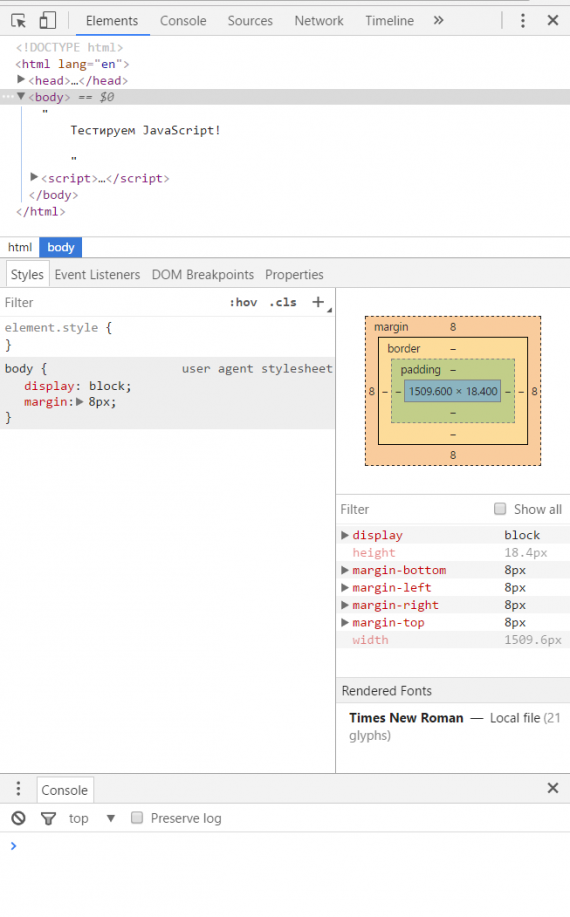
This is the «Developer Tools». In this case, we are interested in the Console tab.
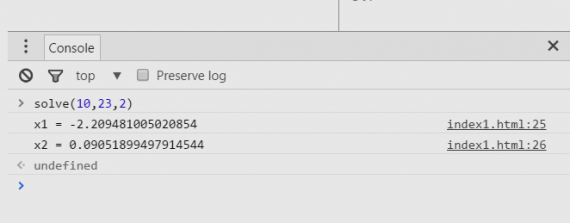
Find this console and ask it to perform our function with parameters, and voila!
The function we wrote was executed, and in the console, the values of the roots of the quadratic equation appeared.
Actually, in the console, you can write simple expressions, and everything will be calculated, execute any JavaScript functions.
That's it.
In the next publication, I will tell you how to bind our function to the page, make input data from the page, and output data to the page.
Comments (0)
No comments yet.